
How it works
Up and running in about two minutes
No complicated set-up. Tell Track GLP about your routine once, and it looks after the countdown and reminders from then on.
Download and create your account
Sign up with your first name, email and a password. We email you an 8-digit code to confirm it's really you.
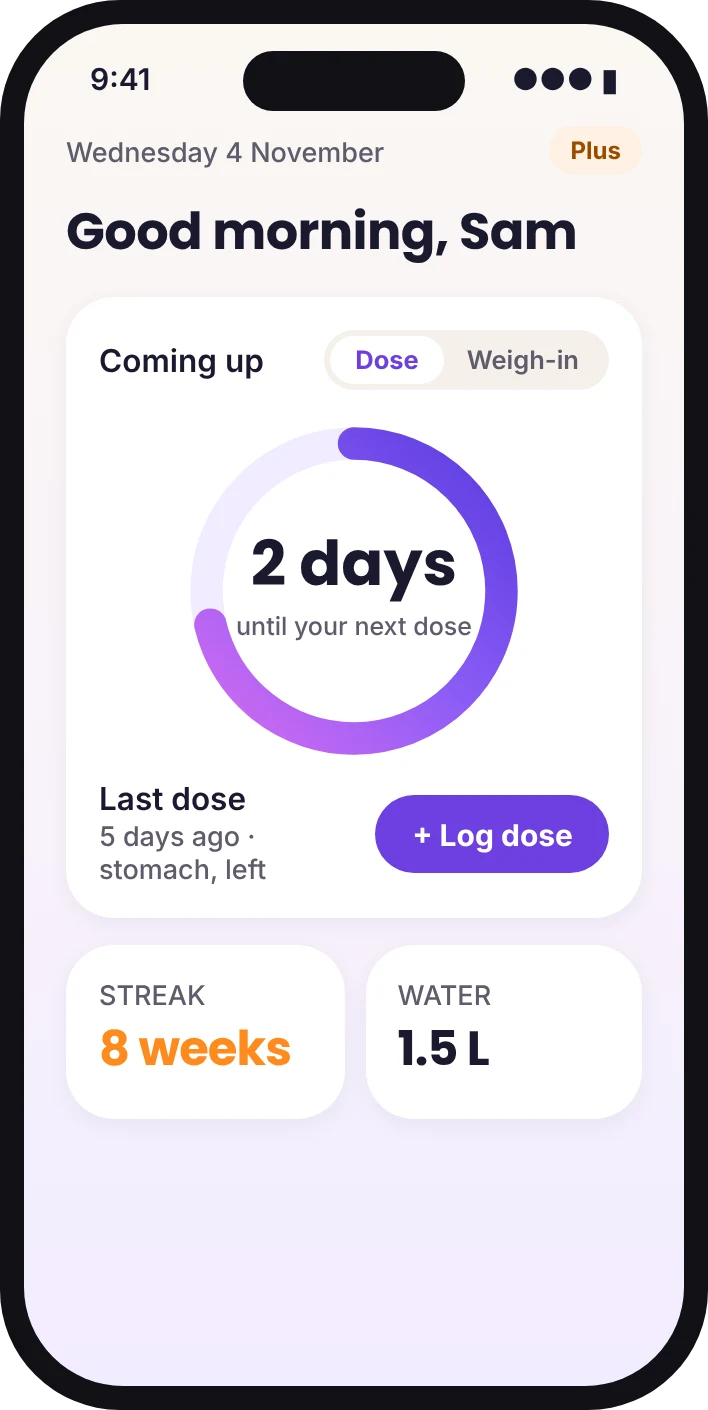
Add your medicine and routine
Pick your medicine and current dose. Weekly and daily schedules are built in, or set your own if your prescriber has given you a different routine.
Choose your reminders
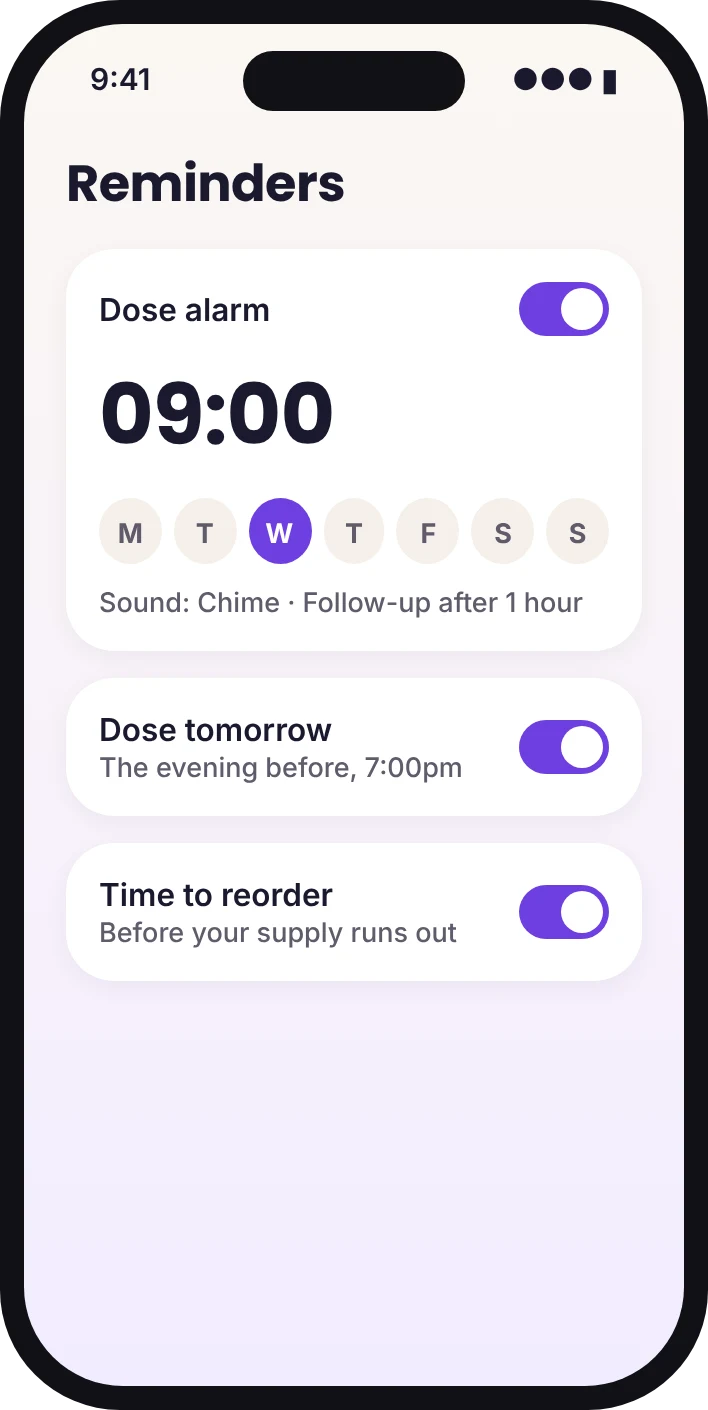
Set your dose alarm time, a follow-up if you haven't logged it, the evening-before nudge, weigh-in days and reorder reminders. Switch any of them off whenever you like.
Log, check in and look back
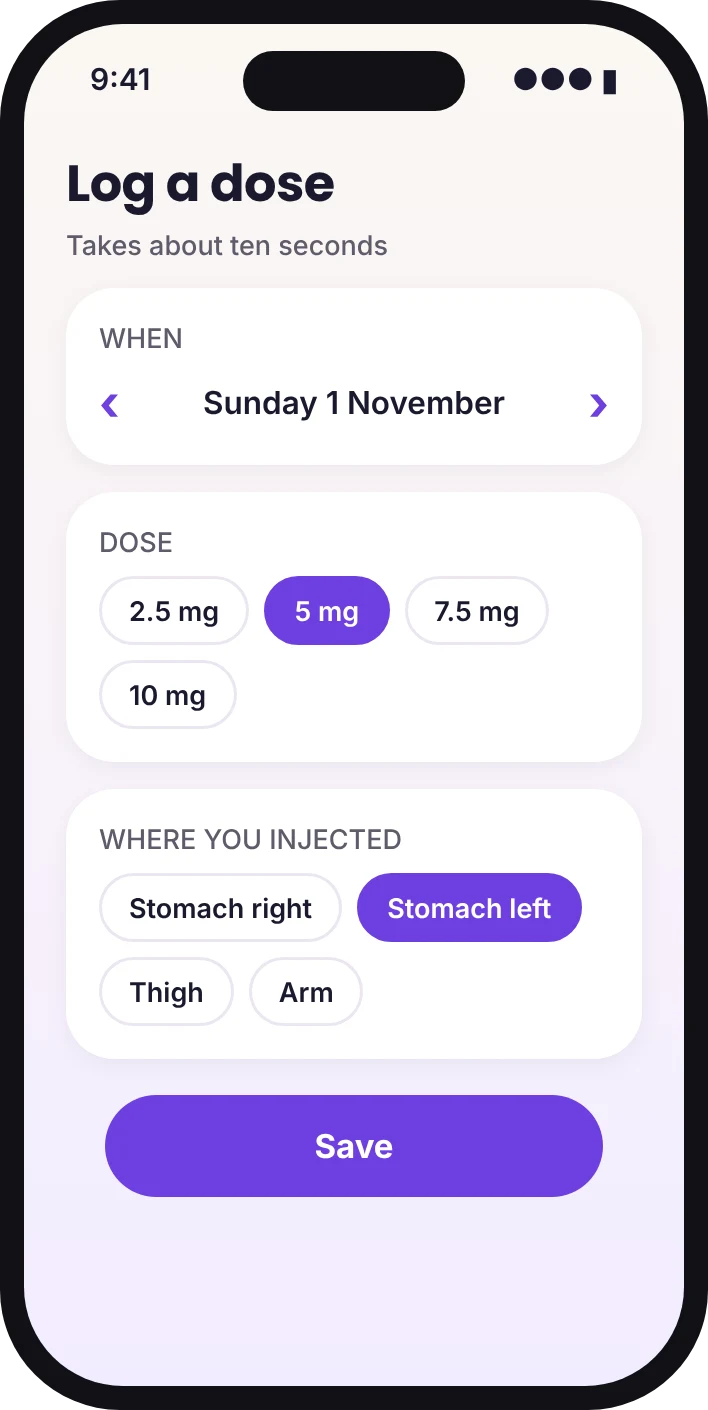
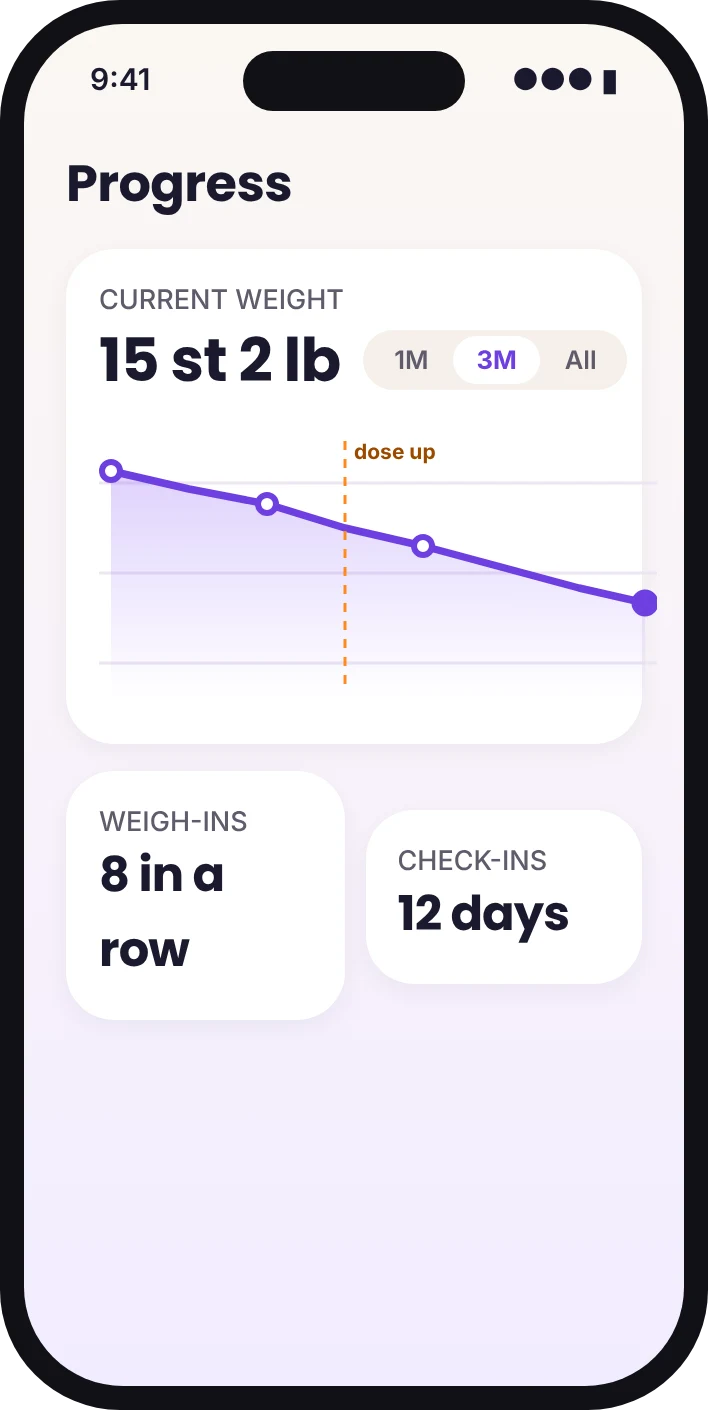
Log each dose with a tap, add weigh-ins and any side effects, and watch your calendar and charts fill up. Before a review, make a PDF report with Track Plus.
Questions people ask before starting
Do I need to be on a particular medicine?
Track GLP works with weekly injections, daily injections and daily tablets in the GLP-1 family, whether from the NHS or a private pharmacy.
Can I add doses I took before I joined?
Yes. Pick an earlier date when you log a dose, and it slots into your history and charts.
What if I miss a dose?
Track GLP shows that it's overdue and the follow-up reminder nudges you. What to do about a missed dose depends on your medicine, so follow the leaflet and your prescriber's advice. The app has a short guide on missed doses too.
Do I have to pay?
No. The diary, reminders and core charts are free for good. Track Plus is optional.

Know your routine. Own your progress.
Doses, reminders, progress and your next review, sorted in one simple app.